
Photos That Help Your Listing on Mid Term Rental Websites
Your photos on mid term rental websites need to do more than make a room look attractive. They should help someone decide whether they can comfortably live, work, cook and sleep there for weeks or months. A relocating family may need to understand the bedroom arrangement, while a traveling professional may want proof that the workspace is more than a stool at the kitchen counter.
For property owners, the goal is a gallery that answers practical questions without overstating what the home provides. Start with the spaces renters care about, photograph them honestly and arrange the images so the property is easy to understand.
Start with the questions a longer-stay renter will ask
Before taking pictures, walk through the home as someone arriving with a suitcase and groceries. Where would they unpack? Prepare dinner? Store cleaning supplies? Work through an afternoon meeting?
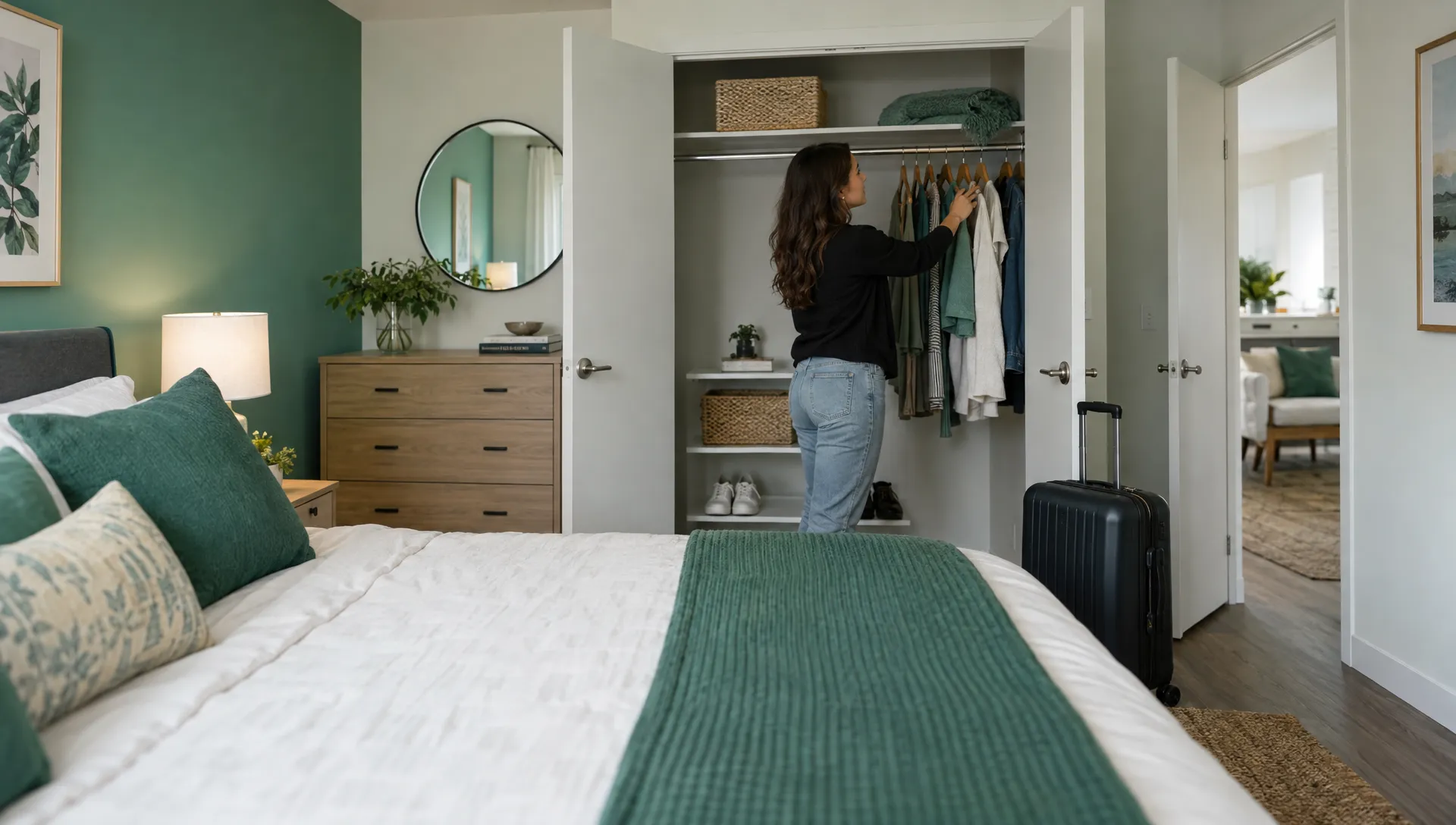
Those questions create a better shot list than simply photographing every room from its doorway. A wide bedroom image establishes the layout, but an additional view may be needed to show closet space. A kitchen overview establishes the appliances, while a separate image can confirm the cookware provided.
Choose the advertising channel separately from the photography plan. If you have not settled on a platform, compare rental sites based on your property and intended renter. Then check its current image requirements before exporting your files. The underlying story should remain consistent wherever you advertise: this is the actual home and these are the features included in the stay.
Build a useful opening gallery for mid term rental websites
The opening images should explain the property before introducing decorative details. Use the strongest accurate view as the cover, then show the spaces that establish whether the home fits the renter’s needs.
| Gallery position | Suggested image | What it should establish |
|---|---|---|
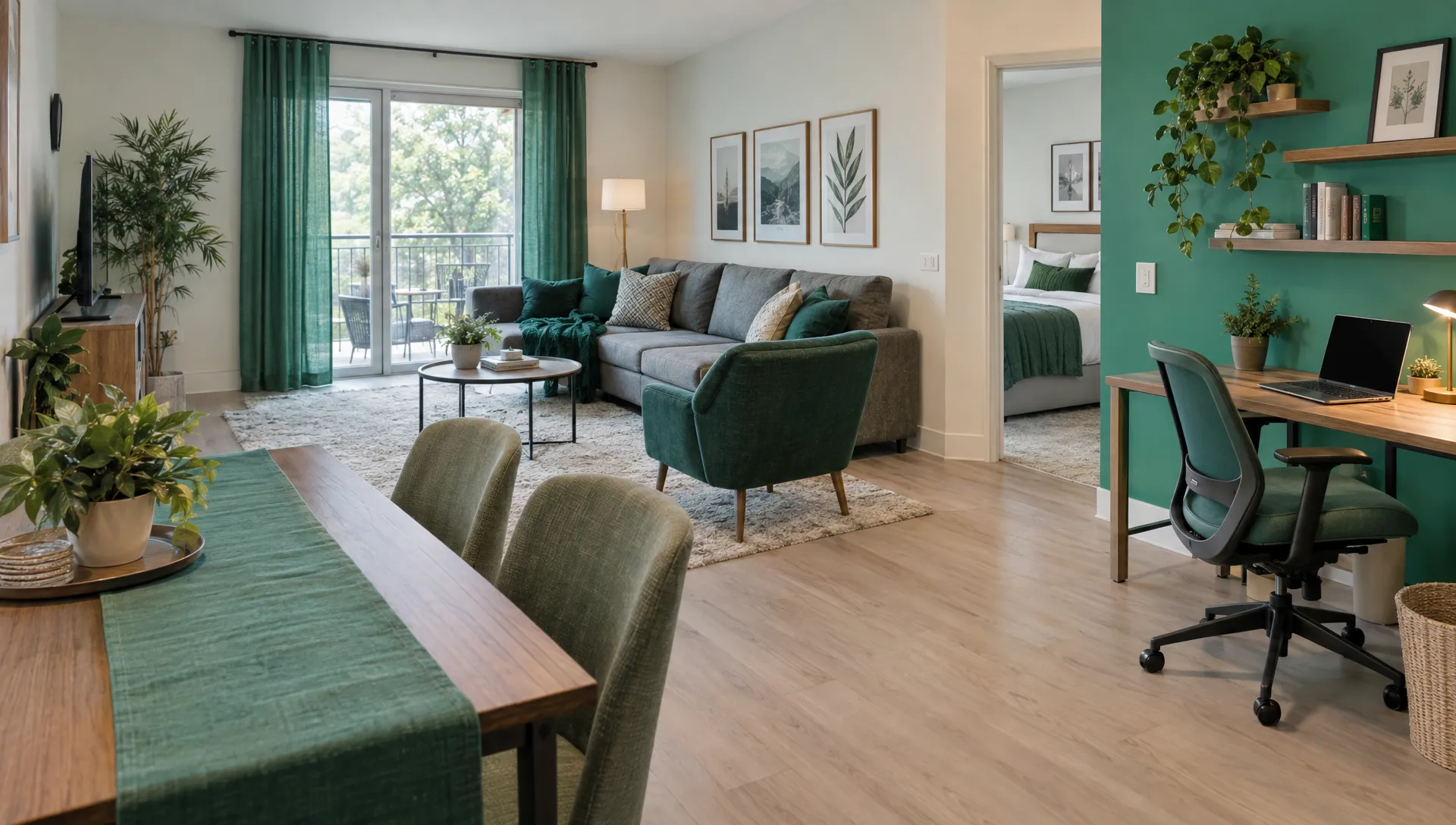
| Cover | Bright, representative living area or another standout usable space | Overall condition, furnishing quality and room layout |
| Next | Main bedroom | Bed arrangement, walking space and bedside setup |
| Next | Kitchen | Appliances, preparation space and general layout |
| Next | Workspace or dining area | Where a renter can work or eat comfortably |
| Next | Bathroom | Shower or tub arrangement, vanity and condition |
This sequence is a starting point, not a platform rule. A three-bedroom house may need to show all bedrooms earlier. A property whose main advantage is a dedicated office should introduce that office promptly.
Avoid leading with a neighborhood landmark, a close-up of flowers or a community pool that renters might mistake for a private amenity. A cover image should represent the accommodation itself. Save supporting details for later, once viewers understand the home.
Prepare the home without hiding how it functions
A useful gallery for mid term rental websites starts with the property being ready to photograph, not with heavy editing afterward. Clean the rooms, replace burned-out bulbs and finish small repairs that would distract from the space.
Make beds neatly and remove excess objects from counters, but keep the home believable. Leave the actual dining chairs, desk chair and bedside furniture in place. Borrowing attractive furniture for the shoot creates a mismatch if renters will receive something different.
Check the background of every shot. Laundry baskets, extension cords and crowded shelves can make a well-maintained room feel unfinished. Remove personal belongings and simplify surfaces without concealing permanent fixtures or functional limitations.
For an inherited home, pay particular attention to family photographs, paperwork and storage areas. Personal items should be secured before photography, and the gallery should show only spaces that will be available to the renter.
Photograph the finished rental setup. If a desk, appliance or bed has not arrived, wait to photograph that feature rather than using a substitute or presenting a planned addition as already available. Keep a dated record of the final setup so future updates are easier to manage.
Use light and camera position to show realistic rooms
On mid term rental websites, a bright image helps only if the room still looks like the space a renter will enter. Start with daylight, open curtains and check that lamps have reasonably consistent color temperatures. Turn off the flash if it produces harsh reflections or uneven lighting.
A recent smartphone can be adequate when the room is well prepared. Clean the lens, hold the camera level and take several versions from slightly different positions. Choose a viewpoint that shows the room’s purpose and circulation space, not simply the greatest possible amount of floor.
Avoid extreme wide-angle settings that stretch furniture or make narrow rooms look unusually large. Keep vertical lines, such as doorframes and cabinets, upright. For small bathrooms, a doorway view may communicate the layout better than a distorted corner shot.
Use light editing to correct exposure, white balance and crooked framing. Do not digitally enlarge rooms, remove permanent obstructions or replace an unappealing view with a different one.
When shooting toward a window, check that the interior remains visible. If the contrast is too strong, change the angle or return at a different time of day. A professional photographer may be worthwhile for difficult lighting or a complex layout, but the brief should still prioritize accuracy over dramatic effects.
Show the features that matter after the first week
The most useful photos on mid term rental websites explain daily living, not just arrival-day appeal. Once you have the main rooms covered, add evidence of the features that make a longer stay practical.
Focus on a few purposeful detail shots:
- Cooking setup: Show the actual cookware, dishes and preparation space, with storage open only where it helps explain what is included.
- Laundry: Photograph the machines and their setting, then clarify in the caption whether they are private or shared.
- Workspace: Show the desk surface, chair, nearby outlet and usable lighting rather than just a decorative laptop.
- Storage: Include an organized closet or dresser, especially when the bedroom overview does not reveal either.
- Arrival and parking: Show the relevant entrance and permitted parking area without exposing access codes or other sensitive information.
Include additional bathrooms and bedrooms even if they are less photogenic than the main rooms. Renters need to understand the whole property, not just its strongest corner.
For homes with stairs, shared entrances or detached laundry, show those arrangements clearly. Objective information is more useful than broad descriptions such as “easy access.” Do not claim accessibility based on appearance alone; any specific accessibility feature should be verified and described accurately.
A pool, gym or outdoor seating area also needs context. Identify whether it belongs to the property, is shared with other residents or requires separate access.
Arrange images as a walkthrough and add factual captions
After selecting the strongest photographs, remove duplicates. Several nearly identical sofa views can bury more useful information about a second bedroom or laundry area. Group images by room, then move through the home in an order a first-time visitor can follow.
Captions on mid term rental websites should explain what the image cannot establish on its own. “Bedroom 2 with a queen bed” helps distinguish similar rooms. “Shared laundry room in the building” prevents an incorrect assumption about an appliance photo.
Keep claims specific. A picture of a router cannot prove internet performance, and a photograph of a parking space cannot establish that it is reserved for the renter. Confirm those details separately and describe the actual arrangement in the listing.
The principle extends beyond housing: a guide to clear listing copy and credible trust signals applies the same approach to ticket sales. For a furnished rental, trust comes from photographs and descriptions that support each other rather than leaving prospects to guess.
Give each room a consistent label across the gallery and description. If a platform does not support captions, place the essential clarification beside the relevant amenity or in a short, easy-to-scan property description.
Check mobile cropping, privacy and accuracy before publishing
Preview the cover image at thumbnail size. A photograph that looks clear on a large monitor may become confusing when cropped into a small card. Keep the main subject away from the edges and confirm that automatic cropping does not remove the bed, desk or other feature you intended to highlight.
When publishing on mid term rental websites, follow each platform’s current dimensions, file-size limits and orientation guidance. Keep high-resolution originals so you can produce different crops without repeatedly compressing the same file. Avoid adding promotional text or contact details to images unless the platform expressly permits them.
Check reflections in mirrors, windows and shiny appliances. Remove visible mail, prescriptions, family photographs, vehicle plates and access codes. Review location metadata where possible and check the platform’s address-display settings without withholding information renters need during the booking process.
Finally, compare the gallery with the live property. Does every photographed amenity remain available? Are any furnishings different? Have shared areas or parking rules changed?
Save the approved images in a clearly labeled folder by room and date. That makes it easier to replace outdated photos across multiple listings rather than accidentally keeping an old kitchen or bedroom image in circulation.
Improve the gallery using questions and available performance data
Publish a complete, accurate gallery first, then refine it based on what prospects struggle to understand. Repeated questions can reveal a missing photograph more clearly than a low inquiry count alone.
If people keep asking whether there is a desk, move the workspace image earlier or take a clearer one. If they confuse two bedrooms, change the captions and add distinguishing views. If parking creates uncertainty, improve both the photograph and its explanation.
Evaluate photos on mid term rental websites alongside price, availability and lease terms. A quiet listing does not automatically mean the images are weak. The available dates may not fit demand, the total cost may be unclear or the property may lack a feature that the renter needs.
Where the platform provides impressions, listing views or inquiry data, note the starting point before making changes. Adjust one major element at a time, such as the cover photograph or opening sequence. Comparing similar periods can be useful, but changes in demand and availability mean the results are not a controlled test.
Frequently asked questions
How many photos should a furnished rental listing include? Use enough to show every bedroom, bathroom and main living space, plus relevant amenities, access arrangements and limitations. There is no universal ideal count. A concise, complete gallery is more useful than a larger collection of repetitive images.
Do I need professional photography? Not necessarily. Good preparation, suitable lighting and careful framing can produce useful smartphone photos. Consider a professional when difficult lighting, unusual room layouts or inconsistent results prevent you from showing the property clearly.
Should I use virtual staging? For an available furnished rental, photograph the actual furnishings whenever possible. Virtual furniture can misrepresent what is included. If you use a conceptual image for another purpose, label it clearly and follow the platform’s rules.
When should I update my photos? Refresh images when furniture, appliances, room use or available amenities change. Review photos on mid term rental websites before relaunching a listing so renters are not relying on an outdated setup.
Make the listing match the stay you can deliver
The strongest gallery gives renters fewer reasons to guess. It shows the actual furnishings, explains everyday functions and makes limitations clear before an inquiry becomes a misunderstanding.
If you are considering furnished leasing for a Houston property, talk with Scott Property Management about your mid-term rental plans. Start with the home’s real condition and intended renter, then build a presentation that accurately reflects the stay you can offer.